Choose your schools and centres
Open the ☰ menu and tap Schools & centres.
Info
JuggleBoard is in beta. If you can't find your school or early learning centre, email support@juggleboard.com and we'll add it.
Your schools
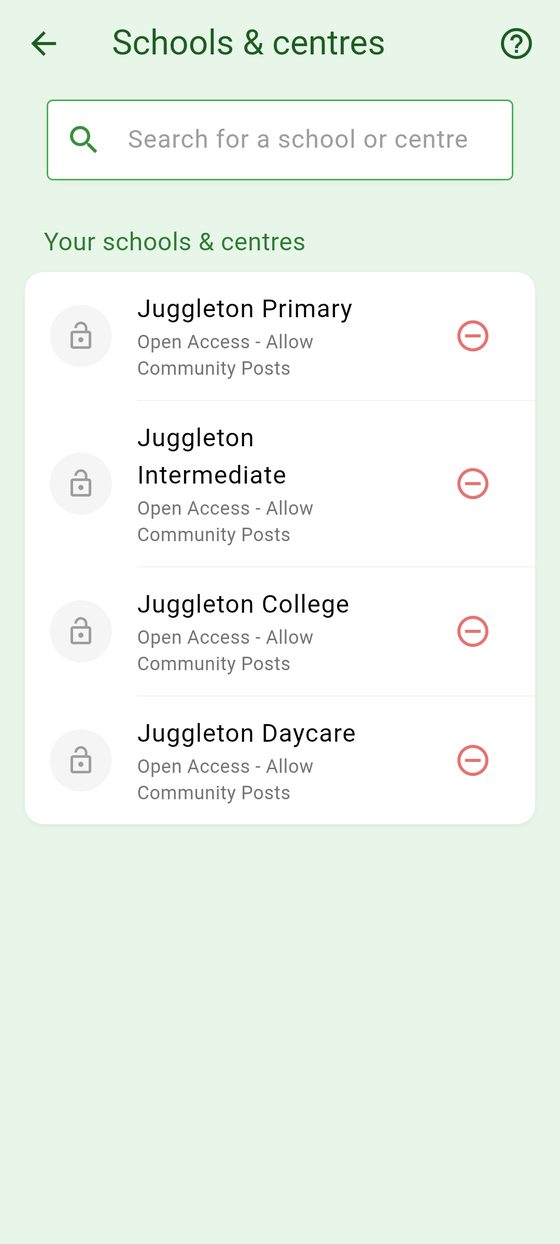
The screen lists the ones you've already added, under Your schools & centres. You can have up to five.
Join a school or centre
- Tap the search box (Search for a school or centre) and type part of the school's or centre's name.
- Tap it.
What happens next depends on the school or centre:
- Open ones are added straight away.
- Invite-only ones ask for their invite code. Type it in and tap Verify & Join, or in the iPhone and Android apps tap Scan QR Code and scan the code on the poster or newsletter.
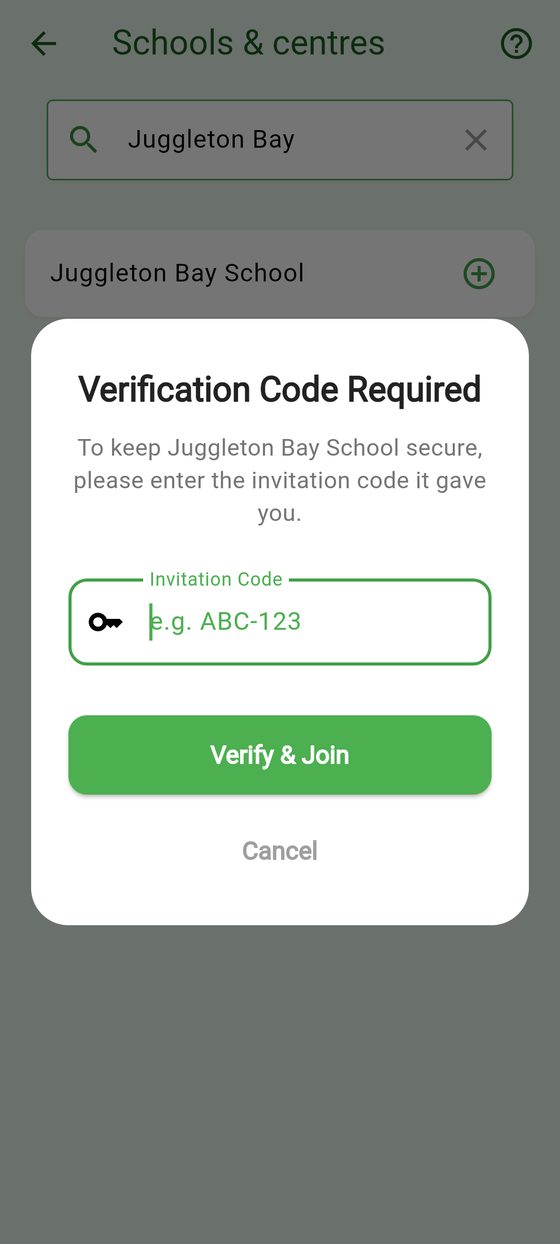
Your school or centre gives you its invite code. If it's not accepted, check it with the office, then tap Try Again.
What each kind of school or centre allows
| Access level | Invite code to join? | Parents can post events? |
|---|---|---|
| Open Access - Allow Community Posts | No | Yes |
| Open Access - Official Posts Only | No | No |
| Invite Only - Allow Community Posts | Yes | Yes |
| Invite Only - Official Posts Only | Yes | No |
Each one shows its access level under its name.
Leave a school or centre
- Tap the red ⊖ next to it.
- Tap Remove.
You'll stop seeing its events and notices, and any reminders you set for its events are cancelled. Events you posted for it stay.
You can add it again at any time.